In this article
Quick Summary
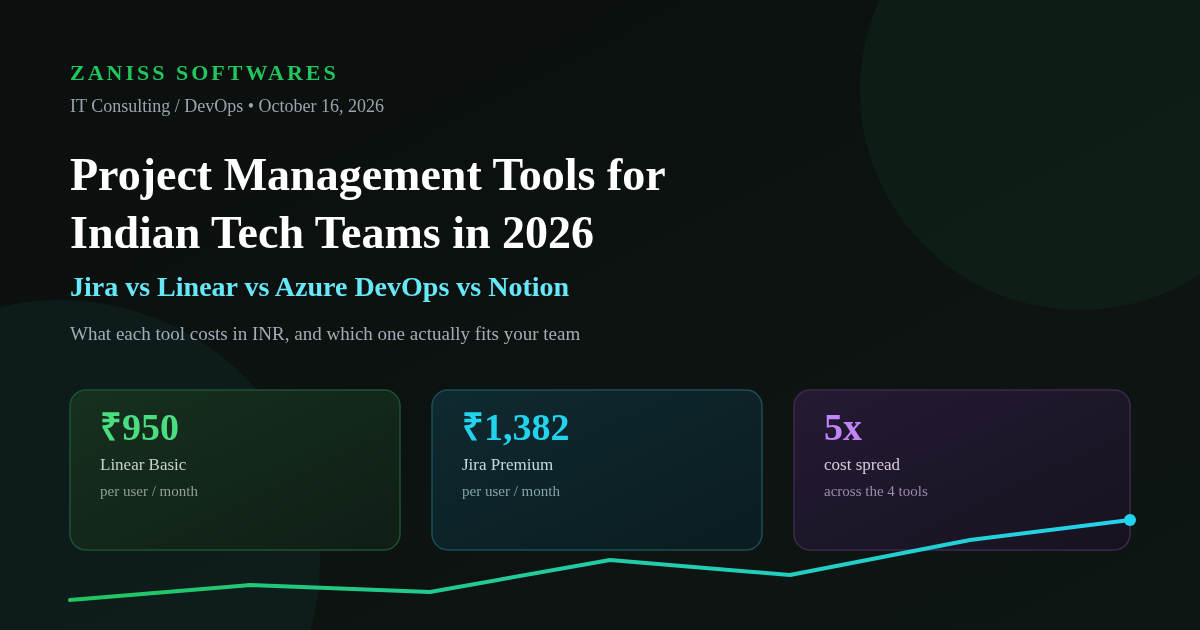
- 1Linear is the cheapest, fastest option for engineering-only squads — free for small teams, ₹950–₹1,520 per user/month beyond that — but it is not built for cross-functional product and stakeholder reporting.
- 2Jira remains the default for product-plus-engineering organisations that need roadmaps, governance and reporting, at roughly ₹751–₹1,382+ per user/month.
- 3Azure DevOps is the natural pick for teams already inside the Microsoft/.NET stack: the first 5 users are free, then about ₹570 per user/month, plus pipeline-minute and storage add-ons that often get missed in budgeting.
- 4Notion suits early-stage and hybrid teams that want documentation, a wiki and lightweight task tracking in one place, at roughly ₹950–₹1,900 per user/month, but it strains once a team needs serious sprint reporting or release management.
Most Indian tech teams don't choose a project management tool once. They choose it the week the founding engineers start writing tickets instead of talking over Slack, then re-choose it eighteen months later when a VP of Engineering joins from a company that ran everything in Jira, then argue about it again when the design and marketing teams say they can't find anything in the tracker. At ZANISS SOFTWARES, we've run discovery sprints and platform audits for enough product and engineering teams across Ahmedabad, Bengaluru and Pune to see the same four tools come up in almost every conversation: Jira, Linear, Azure DevOps, and Notion. Each one is genuinely good at what it was built for, and genuinely frustrating when a team forces it into a role it wasn't designed for. This guide breaks down what each tool actually costs in INR in 2026, who it's actually built for, and how to make the call without burning a quarter on a migration you'll regret.
The Four Tools at a Glance
Before the pricing and the framework, it helps to place each tool on a simple spectrum: how much process does it assume, and how much does it try to do beyond issue tracking?
Jira sits at the "heavyweight, configurable" end. It was built for large, multi-team product organisations that need custom workflows, permission schemes, and roll-up reporting across dozens of projects. Linear sits at the opposite end on process — deliberately opinionated, fast, and almost allergic to configuration — but it is narrowly focused on engineering issue tracking and cycles. Azure DevOps is Jira's closest functional rival, except it comes bundled with source control (Repos), CI/CD (Pipelines), and artifact management, which makes it the obvious choice when a team is already committed to the Microsoft ecosystem. Notion isn't a project management tool first; it's a workspace and documentation platform that happens to include databases flexible enough to run a kanban board, which makes it popular with teams that care more about a shared knowledge base than sprint ceremonies.
Jira in 2026: Still the Default for Product-Led Teams
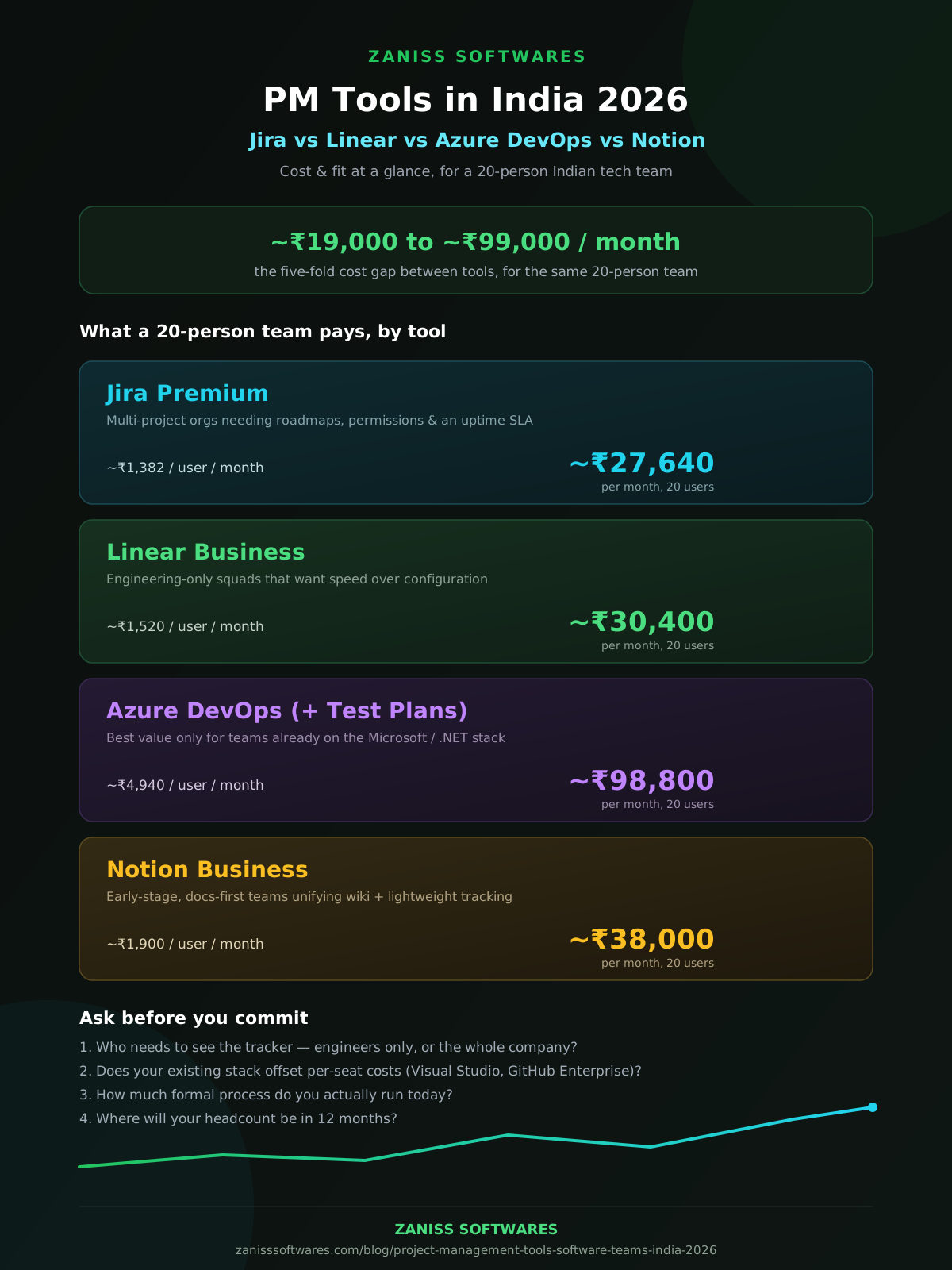
Jira's pricing in 2026 runs on four tiers. Free covers up to 10 users with 2GB of storage and 100 automation runs a month — fine for a very early-stage team, but most product teams outgrow it within a year. Standard is priced at roughly $7.91 per user per month (about ₹751 at current exchange rates), and adds user roles and permissions, Rovo AI features, and advanced planning for a single project. Premium runs about $14.54 per user per month (roughly ₹1,382), and is where most mid-sized Indian product companies actually land — it adds Advanced Roadmaps across multiple projects, unlimited storage, a 99.9% uptime SLA, and pooled automation at 1,000 runs per user per month. Enterprise is custom-quoted and billed annually, aimed at organisations running up to 150 Jira sites with SSO, SCIM and Atlassian's analytics layer.
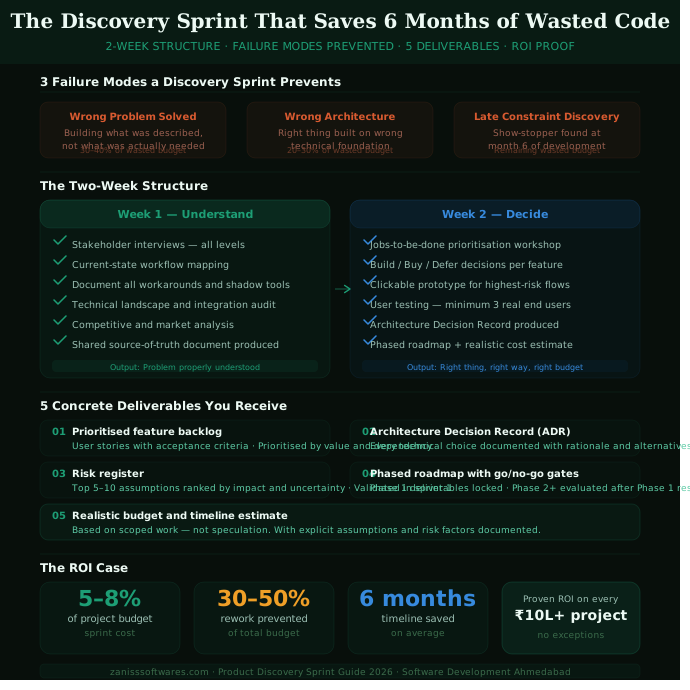
The reason Jira keeps winning renewal conversations, despite near-universal engineer complaints about its interface speed, is governance. When a company has a PMO, a compliance function, or client-facing delivery teams that need auditable workflows and cross-project reporting, nothing else in this list matches Jira's configurability. The cost of that power is setup time: a Jira instance configured by someone who doesn't understand workflow schemes becomes the thing engineers route around with spreadsheets, which defeats the purpose entirely. We typically recommend a short configuration audit — similar in spirit to the discovery sprint we run before any custom build — before a team commits budget to Premium or Enterprise.
Linear in 2026: Built for Engineering Speed
Linear's pitch is simple: issue tracking should feel instant, and it should get out of engineers' way. The Free plan now covers unlimited members, two teams, 250 issues, and Linear's agent platform — generous enough that small startups can run on it for months. Basic is $10 per user per month billed yearly (about ₹950), unlocking five teams, unlimited issues, and admin roles. Business is $16 per user per month billed yearly (about ₹1,520), adding unlimited teams, private teams and guests, Triage Intelligence, and integrations with Zendesk and Intercom. Enterprise is custom, annual-only, and adds SAML/SCIM, invoice billing, and a dedicated account manager.
Linear is the tool we see win outright in engineering-only organisations — SaaS startups, dev-tool companies, and the engineering arm of larger Indian product companies that have split their tracker from the PMO's tracker. Its opinionated workflow (cycles instead of open-ended sprints, a genuinely fast keyboard-driven UI, tight GitHub/GitLab integration) removes a huge amount of process overhead. The tradeoff is real: Linear is not built for non-technical stakeholders who want Gantt charts, budget roll-ups, or client-facing status reports. Teams that try to run an entire cross-functional organisation — design, marketing, sales, support, and engineering — inside Linear usually end up bolting on Notion or a spreadsheet for everyone else anyway.
Azure DevOps in 2026: The Microsoft-Stack Choice
Azure DevOps prices differently from the other three because it bundles more than issue tracking. The Basic plan is free for the first five users, then about $6 per user per month (roughly ₹570) for each additional seat, and it includes Azure Boards (the tracker), Azure Repos (unlimited private Git repos), and a baseline amount of Azure Pipelines. Basic + Test Plans runs about $52 per user per month (roughly ₹4,940) for teams that need structured manual and exploratory test case management layered on top. Beyond the per-seat cost, budgeting has to account for Pipelines (one free Microsoft-hosted parallel job with 1,800 minutes a month, then $40/month — about ₹3,800 — per additional Microsoft-hosted job, or $15/month — about ₹1,425 — per self-hosted job) and Artifacts storage beyond the free 2GiB, tiered from $2 per GiB down to $0.25 per GiB at the highest volumes.
For teams that are already running .NET, Visual Studio subscriptions, or GitHub Enterprise Cloud with Entra ID, this bundling is a genuine cost advantage — Visual Studio subscribers get Azure DevOps access that doesn't count against the five free seats, and GitHub Enterprise Cloud customers managing identity through Entra ID get it at no extra charge. For teams outside that ecosystem, paying per-pipeline-minute and per-GiB fees on top of seat costs is usually more expensive and more confusing than it needs to be, and we'd point those teams toward a platform engineering review before committing.
Notion in 2026: Docs-First, Lightweight Tracking
Notion's four tiers are straightforward. Free includes a trial of Notion AI, basic forms, databases with subtasks and dependencies, and seven days of page history. Plus is $10 per month per member (about ₹950), unlocking unlimited file uploads, unlimited guests, and 30-day page history. Business, Notion's recommended tier, is $20 per member per month (about ₹1,900), adding Notion Agent, AI meeting notes, SAML SSO, private teamspaces, and premium integrations with tools like GitHub and Asana. Enterprise is custom-priced and adds SCIM provisioning, audit logs, and zero data retention with LLM providers — relevant for regulated clients.
Notion's real strength for Indian tech teams is that it collapses three tools — wiki, docs, and lightweight task board — into one subscription, which is genuinely attractive for a 10–25 person startup that doesn't want to pay for Confluence and Jira and a separate notes tool. The honest limitation is sprint rigor: Notion's databases can simulate a kanban board, but they don't give you burndown charts, velocity tracking, or the kind of workflow automation that a growing engineering team eventually asks for. We usually see teams outgrow Notion-as-tracker around the time they cross 15–20 engineers or start shipping on a fixed release cadence, at which point they migrate the engineering team to Jira or Linear and keep Notion as the company wiki.
What It Actually Costs: INR Pricing Table for a 20-Person Team
The table below estimates a realistic monthly cost for a 20-person team (mixed engineering and product/PM headcount), using current list pricing converted at roughly ₹95 per US dollar. Treat these as planning figures, not quotes — exchange rates move, and most vendors will negotiate on annual contracts above 20–25 seats.
| Tool & Tier | Price per user/month (USD) | Price per user/month (INR, approx.) | Est. monthly cost for 20 users | Best fit |
|---|---|---|---|---|
| Tool & TierJira Free | Price per user/month (USD)$0 | Price per user/month (INR, approx.)₹0 | Est. monthly cost for 20 users₹0 (capped at 10 users) | Best fitPre-seed teams under 10 people |
| Tool & TierJira Standard | Price per user/month (USD)$7.91 | Price per user/month (INR, approx.)~₹751 | Est. monthly cost for 20 users~₹15,020 | Best fitSmall product teams, single-project reporting |
| Tool & TierJira Premium | Price per user/month (USD)$14.54 | Price per user/month (INR, approx.)~₹1,382 | Est. monthly cost for 20 users~₹27,640 | Best fitMulti-project product orgs needing roadmaps + SLA |
| Tool & TierLinear Free | Price per user/month (USD)$0 | Price per user/month (INR, approx.)₹0 | Est. monthly cost for 20 users₹0 (250 issues, 2 teams) | Best fitVery early-stage engineering teams |
| Tool & TierLinear Basic | Price per user/month (USD)$10 (billed yearly) | Price per user/month (INR, approx.)~₹950 | Est. monthly cost for 20 users~₹19,000 | Best fitEngineering-only squads, 5 teams |
| Tool & TierLinear Business | Price per user/month (USD)$16 (billed yearly) | Price per user/month (INR, approx.)~₹1,520 | Est. monthly cost for 20 users~₹30,400 | Best fitScaling engineering orgs, private teams/guests |
| Tool & TierAzure DevOps Basic | Price per user/month (USD)$0 for first 5, then $6 | Price per user/month (INR, approx.)~₹0 then ~₹570 | Est. monthly cost for 20 users~₹8,550 (15 paid seats) | Best fitMicrosoft/.NET-stack teams |
| Tool & TierAzure DevOps Basic + Test Plans | Price per user/month (USD)$52 | Price per user/month (INR, approx.)~₹4,940 | Est. monthly cost for 20 users~₹98,800 | Best fitTeams needing formal QA/test case management |
| Tool & TierNotion Plus | Price per user/month (USD)$10 | Price per user/month (INR, approx.)~₹950 | Est. monthly cost for 20 users~₹19,000 | Best fitHybrid teams wanting docs + lightweight tracking |
| Tool & TierNotion Business | Price per user/month (USD)$20 | Price per user/month (INR, approx.)~₹1,900 | Est. monthly cost for 20 users~₹38,000 | Best fitTeams needing SSO, private teamspaces, AI features |
Note: INR figures are indicative, converted at roughly ₹95 per US dollar at the time of writing, and exclude GST. Azure DevOps figures exclude Pipelines and Artifacts overage charges, which are billed separately. Most vendors offer negotiated annual pricing above 20–25 seats.
Decision Framework: Which Tool Fits Your Team
Rather than ranking these tools, we ask four questions in every platform audit we run for clients:
First, who actually needs to see the tracker? If it's engineers only, Linear's speed advantage is hard to beat. If it's engineers, product managers, support, and leadership all looking at the same board, Jira's permission model and reporting earn their complexity.
Second, what's your existing stack? A team already paying for Visual Studio Enterprise subscriptions or running GitHub Enterprise with Entra ID effectively gets Azure DevOps at a steep discount — ignoring that is leaving money on the table. A team with no Microsoft dependency gains little from Azure DevOps's bundling and should look elsewhere.
Third, how much process do you actually run today? Teams that don't run formal sprints, don't need burndown charts, and mainly need "what's being worked on and what's next" are overpaying for Jira or Azure DevOps complexity they'll never use. Notion or Linear's Free/Basic tiers cover that need at a fraction of the cost.
Fourth, what's your growth trajectory over the next 12 months? If you're about to double headcount, add a compliance function, or sign enterprise clients who'll ask about SOC 2 and audit trails, it's cheaper to set up Jira or Azure DevOps correctly now than to migrate under pressure in nine months. If you're staying lean and engineering-led, Linear's simplicity compounds in your favour the longer you stay on it.
Common Migration Mistakes We See at Indian Dev Shops
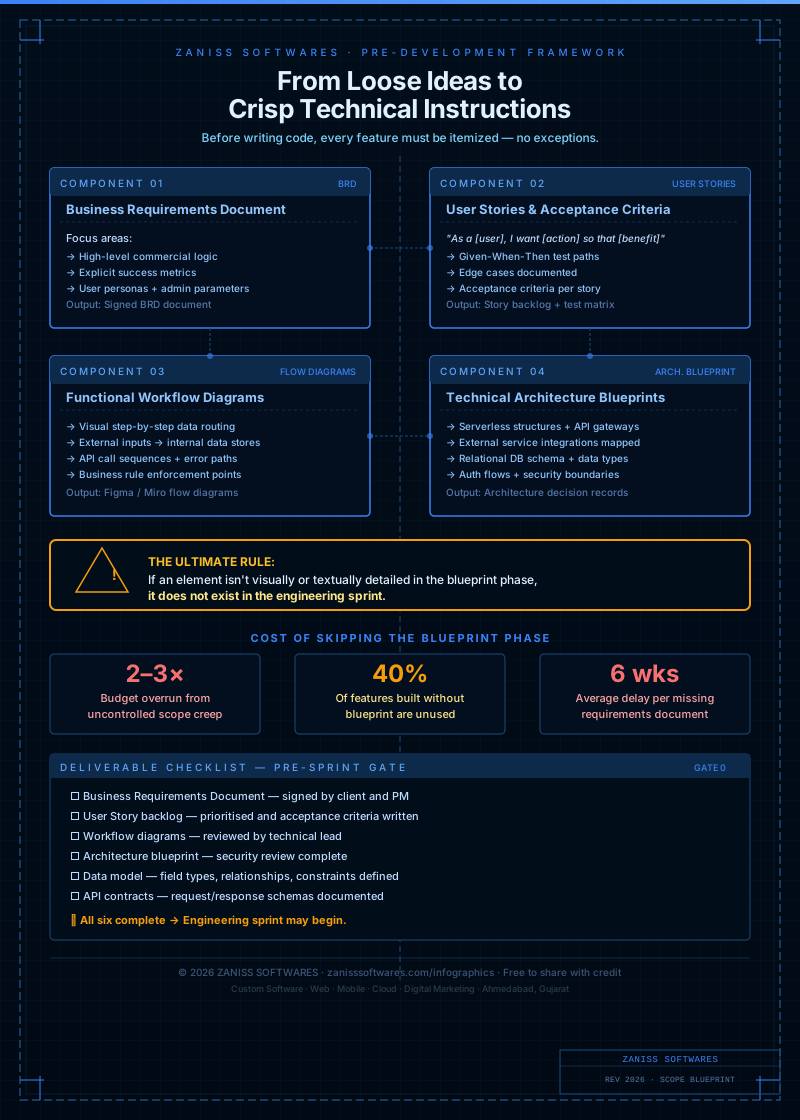
The single biggest mistake is migrating tools without first mapping the workflow the old tool was hiding. Teams that jump from Jira to Linear because "Jira is slow" often rediscover, three months later, that they'd built real reporting dependencies — client status decks, QA sign-off gates — on top of Jira's custom fields, and now have to rebuild them from scratch. The second most common mistake is choosing a tool based on what the loudest engineer on the team prefers, without costing out what happens when the team doubles — a decision that feels free at 8 people can become an expensive re-platforming project at 40. The third is skipping a proper scope and requirements pass before configuring the new tool, which is exactly the gap our software scope blueprint is built to close.
Frequently Asked Questions
Which project management tool is cheapest for a 20-person Indian dev team?
Linear is the cheapest at scale if the team is engineering-only — Basic at roughly ₹950 per user per month, or even the Free tier for the smallest teams. Azure DevOps's Basic plan (first five seats free, then about ₹570 per seat) is cheapest if the team is already paying for Visual Studio or GitHub Enterprise licences that offset the cost.
Can Jira, Linear, and Notion be used together on the same tech team?
Yes, and many Indian teams do exactly this — engineering runs sprints in Jira or Linear while the wider company uses Notion as the shared wiki and onboarding hub. The failure mode is letting the same information live in both places with no single source of truth; pick one tool as authoritative for any given type of record (tickets, docs, roadmaps) and link out from the others.
Is Azure DevOps worth it if we don't use other Microsoft products?
Usually not on cost alone. Its per-seat pricing and bundled Repos/Pipelines/Boards only beat Jira or Linear on value when a team is already paying for Visual Studio subscriptions or running GitHub Enterprise Cloud through Entra ID, which offsets or eliminates the per-seat fee.
How much should an Indian startup budget monthly for project management tooling in 2026?
For a 15–20 person mixed engineering and product team, budget roughly ₹15,000–₹35,000 per month depending on the tool and tier — Notion Plus or Linear Basic at the lower end, Jira Premium or Azure DevOps with Pipelines add-ons at the higher end.
What's the biggest mistake Indian tech teams make when choosing a PM tool?
Optimising for the tool that feels best at 8–10 people without costing out the migration if the team triples. A scope and requirements review before committing — the same discipline we apply before any custom build — avoids most of this.
Related Articles
Working With Us
If your engineering and product teams are stuck arguing about tooling instead of shipping, that's usually a symptom of an unclear process, not a tool problem. ZANISS SOFTWARES runs platform and process audits as part of our IT Consulting practice — we'll map your actual workflow, tell you honestly whether you need to switch tools at all, and if you do, scope the migration so it doesn't cost you a quarter of lost velocity. Book a free consultation to talk through your team's setup.
📩 Response within 24 hours